WhatsApp marketing automation in Malaysia: rules, templates and costs
WhatsApp marketing in Malaysia done right: opt-in, PDPA, marketing vs utility templates, messaging limits, per-user caps, per-message costs and a campaign setup.
WhatsApp marketing automation in Malaysia means sending promotional messages to opted-in customers through the WhatsApp Business Platform, using templates that Meta has approved. You need a recorded opt-in, a way to opt out, marketing templates for promotions and utility templates only for non-promotional updates. Meta charges per delivered message by category, limits how many people you can reach per 24 hours, and may cap how many marketing messages one person receives.
Part of the guide: Marketing automation

On this page
WhatsApp marketing automation in Malaysia means sending promotional messages to opted-in customers through the WhatsApp Business Platform, using templates Meta has approved. It works well here because many customers already use WhatsApp every day. It also fails fast: a campaign to an unconsented list, or a sale disguised as an "update", can get your templates reclassified, your reach limited and your number's quality rating pushed down.
Prepared 10 November 2026. Part of our guide to marketing automation in Malaysia.
What counts as WhatsApp marketing?
On the WhatsApp Business Platform, every message your business starts is a template, and every template has a category. Meta's categories decide the price, the rules and how strictly the message is limited.
| Category | What it is for | Example |
|---|---|---|
| Marketing | Promotions, offers, launches, reminders to buy again, anything persuasive | "11.11 sale: 20% off all services this weekend" |
| Utility | Non-promotional updates the customer requested or needs | "Your appointment is confirmed for Tuesday, 3pm" |
| Authentication | One-time passcodes only | "Your code is 482913" |
| Service | Free-form replies inside the 24-hour window after a customer writes | Answering a question about opening hours |
Meta's template guidelines say utility templates must be non-promotional and specific to, or requested by, the user. Templates that mix an update with an offer, or whose purpose is unclear, count as marketing. Since 9 April 2025, a template submitted as utility that WhatsApp judges to be marketing is approved as marketing instead, and repeated misuse can lead to restrictions.
The practical rule we give clients: if the message tries to make someone buy, book or come back, it is marketing. Write it, price it and limit it as marketing.
What are the rules before you send?
Three sets of rules apply at once: WhatsApp's policy, Meta's technical limits and Malaysia's PDPA.
WhatsApp Business Messaging Policy. You may only contact people who gave you their number and opted in to receive messages from you on WhatsApp. The policy leaves the method of opt-in to you, but you must be able to show it. You must respect every opt-out request. WhatsApp also recommends separate opt-in per type of message, for example order updates and promotions.
PDPA. Malaysia's Personal Data Protection Act requires a notice that explains why you collect the number and what you will send, and consent for the purpose. Section 43 gives every person the right to tell you to stop processing their data for direct marketing. We cover the details for email in email marketing automation and PDPA consent; the same consent record works for WhatsApp if the notice names WhatsApp as a channel. This is a general overview, not legal advice.
Meta's templates. Outside the 24-hour customer service window you may only send approved templates. Each template is reviewed before use, and a template with low engagement or many blocks can be paused.
What a usable opt-in looks like
- A checkbox or reply on the form or chat, not pre-ticked: "Send me offers and updates on WhatsApp. I can stop any time by replying STOP."
- The date, source and wording stored on the CRM contact
- Separate fields for "updates" and "promotions", so a customer can keep one and drop the other
- An automation that marks the contact as opted out the moment they reply STOP, block or "no more", and removes them from every campaign list
A list bought from a vendor, scraped from groups or collected for another purpose is not opted in. Do not import it.
How many messages can you send?
Meta limits reach in two ways.
Messaging limits. Meta's documentation defines the limit as the number of unique WhatsApp users your business can message outside a customer service window in a moving 24-hour period. Limits are set for the whole business portfolio and shared by all its numbers. New portfolios start at 250 unique users. Limits rise to 2,000, 10,000, 100,000 and unlimited. You move up by verifying the business, or by sending good-quality templates to 2,000 unique users within 30 days, and after that through automatic scaling when you have used at least half your limit in the last 7 days with good quality. You can check the current limit in WhatsApp Manager under Account tools.
Per-user marketing limits. WhatsApp may limit how many marketing templates one person receives from all businesses in a period. The limit adapts to how actively that person reads marketing messages. Meta does not publish a fixed number. When a message is blocked by this limit, it fails with error code 131049, and Meta advises waiting at least 24 hours before resending. Marketing messages you send inside an open customer service window do not count towards it.
What this means for planning: a campaign of 5,000 messages on a new number will not go out in one afternoon, and a customer who already receives many promotions may not get yours. Fewer, better-targeted messages reach more people than frequent blasts.

What does WhatsApp marketing cost?
Cost has three parts: Meta's message fees, the provider and your setup.
Meta's fees. Meta has charged per delivered message since 1 July 2025. The price depends on the category and the recipient's country calling code; Malaysia is its own market (+60). Marketing is the most expensive category, utility and authentication are cheaper, and replies inside the 24-hour customer service window are service messages. Each business number gets 1,000 free delivered service messages a month. When a customer starts a chat from a Click to WhatsApp ad and you reply within the window, a free entry point window of up to 7 days opens.
Two recent changes matter for budgets. Meta's rate cards are published in several currencies and include MYR since 1 April 2026. And from 1 October 2026, utility templates sent inside an open customer service window are charged again; they had been free since July 2025.
We do not print per-message rates here because Meta changes them. Budget with this formula and the current rate card:
Monthly message cost = number of opted-in contacts × campaigns per month × delivery rate × current marketing rate for +60
The provider. You connect to the platform through a Business Solution Provider or a CRM with a WhatsApp integration. Some add a markup per message, others charge a monthly fee per number or per user.
Setup and care. The real cost is the work: opt-in capture, segments, templates, the opt-out automation, reporting and someone who reads the replies. Our overview of marketing automation cost in Malaysia shows how these blocks add up.
How do you set up an automated campaign?
This is the order we use when we build WhatsApp marketing for a client.
- Consent first. Add the opt-in to every form, Click to WhatsApp ad flow and checkout. Store source, date and wording in the CRM.
- Segments, not one list. Group by what people bought, when they last bought and which promotions they asked for. Three segments with relevant offers beat one blast to everyone.
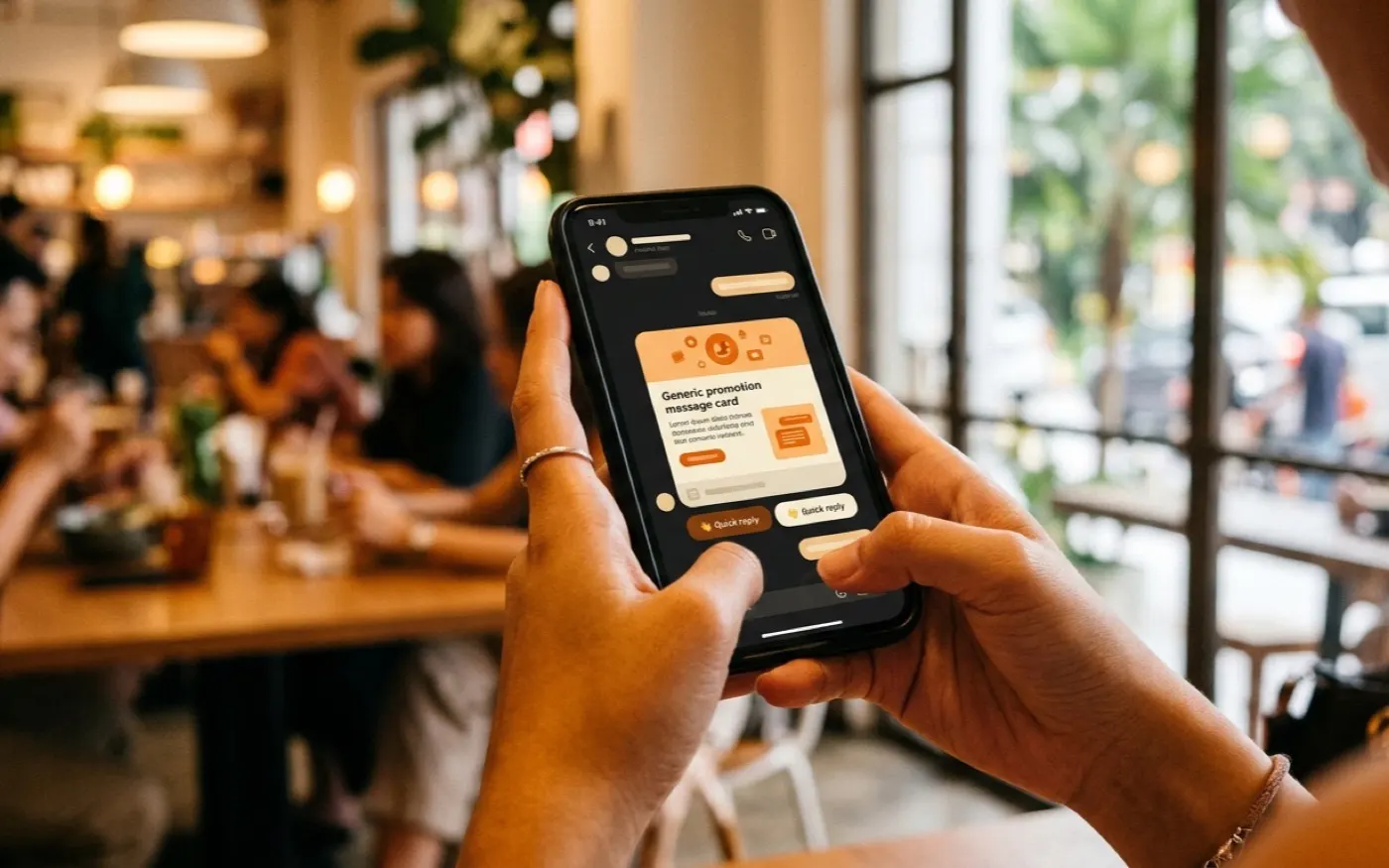
- A small template set. One welcome, one offer template with a variable for the product, one reminder, one re-engagement. Write each as marketing, with a clear opt-out line and a quick reply button such as "Show me" and "Stop offers".
- Triggered sends before broadcasts. Start with messages that fire on an event: a lead with no reply after two days, a customer due for a repeat service, a booking that was not completed. Our lead follow-up sequence and Google review and repeat-purchase automation are examples.
- Replies go to a person. Every reply opens a 24-hour window. Route it to the right staff member in the CRM, and stop the automation for that contact.
- Measure per campaign. Delivered, read, replied, opted out, booked and paid. A campaign with many opt-outs is a signal to stop, not to send more.
The tools can be a CRM with built-in WhatsApp, or a workflow tool such as n8n connecting your CRM to the API. Our article on n8n and WhatsApp automation explains that route, and the wider WhatsApp and CRM marketing automation guide covers lead capture.
A worked example
Illustrative example, not a client case. A dental clinic group in the Klang Valley has 4,200 patients with WhatsApp opt-in for reminders, and 1,600 who also ticked "offers". It wants to fill weekday slots in December.
- Segment: patients who opted in to offers and had no cleaning in the last 9 months: 640 people.
- Template: one marketing template with the patient's first name, the clinic branch and two buttons, "Book a slot" and "Stop offers".
- Pacing: the group's portfolio is at the 2,000-user tier, so the send goes out in one day; the 3,600 patients without offer consent receive nothing.
- Result to watch: if 640 messages lead to 30 bookings and 8 opt-outs, the next campaign keeps the same segment rules. If opt-outs pass 3 to 4 percent, the offer or the frequency is wrong.
The cost line for the month is 640 multiplied by the current marketing rate for +60, plus the free replies inside the window when patients ask questions.
Common mistakes
- Sending promotions as utility. It gets reclassified, and repeated misuse can restrict your account.
- Importing old phone lists. People who never opted in block and report, which lowers quality and limits reach.
- One blast to everyone. It burns the per-user marketing allowance on people who were never going to buy.
- No opt-out automation. Staff forget to remove people by hand. A PDPA request ignored is a complaint waiting to happen.
- No owner for replies. A campaign that gets 50 replies and no answers does more harm than no campaign.
Checklist: WhatsApp marketing in Malaysia
- WhatsApp Business Platform through a provider, business verified
- Opt-in with source, date and wording stored per contact; separate consent for promotions
- PDPA notice that names WhatsApp as a channel
- Marketing templates for anything promotional, utility only for real updates
- Opt-out by reply or button, removed from all lists automatically
- Segments based on purchase history and consent
- Messaging limit checked in WhatsApp Manager before large sends
- Error 131049 handled: no instant resend, retry after 24 hours at the earliest
- Current Meta rate card for +60 used in the budget
- Replies routed to a named person; results reported per campaign
What we offer
We build WhatsApp marketing automation as part of a connected CRM setup. Most projects start with an AI opportunity audit from MYR 3,500, which is credited to the build if it starts within 60 days. A single automation, such as a consented campaign flow with opt-out handling and reporting, falls into our range of MYR 12,000 to 25,000. A care plan from MYR 2,500 a month keeps templates, segments and limits in shape as campaigns change. See marketing automation for the full service.
Sources
- Meta for Developers, Pricing on the WhatsApp Business Platform (per-message pricing since 1 July 2025, categories, free service tier, free entry point window, changes effective 1 October 2026, MYR rate cards), checked 10 November 2026.
- Meta for Developers, Messaging limits (portfolio-level limits, tiers, scaling), checked 10 November 2026.
- Meta for Developers, Per-user marketing template message limits (adaptive limit, error 131049, 24-hour retry), checked 10 November 2026.
- Meta for Developers, Template categorization (marketing, utility, authentication; reclassification since 9 April 2025), checked 10 November 2026.
- WhatsApp, Business Messaging Policy (opt-in, opt-out, templates outside the service window), last updated 23 September 2026, checked 10 November 2026.
- Personal Data Protection Act 2010 (Malaysia), section 43 (right to prevent processing for direct marketing).
- winsym.ai prices from our current offer list (audit from MYR 3,500; one automation MYR 12,000 to 25,000; care plan from MYR 2,500 per month), as of November 2026.
Frequently asked questions
Is WhatsApp marketing legal in Malaysia?
Yes, if you have the person's permission and respect their choice to stop. WhatsApp's Business Messaging Policy requires opt-in before you contact someone and requires you to honour opt-out requests. Under Malaysia's PDPA, a person can also ask you to stop using their data for direct marketing. This is general information, not legal advice.
Can I send WhatsApp broadcasts from the WhatsApp Business app?
The free app has a broadcast list feature, but only people who saved your number receive it, there is no approval process, no reporting to a CRM and no automation. For campaigns to hundreds or thousands of customers, use the WhatsApp Business Platform (API) through a provider.
How much does a WhatsApp marketing message cost in Malaysia?
Meta charges per delivered message. The rate depends on the template category and the recipient's country code, and marketing is the most expensive category. Meta updates its rate cards, most recently with changes effective 1 October 2026, and publishes them in several currencies including MYR. Check the current rate card and your provider's markup before you budget.
Why did my WhatsApp marketing message fail with error 131049?
WhatsApp may limit how many marketing templates one person receives from all businesses in a period. When that happens, the message fails with error code 131049. Meta's guidance is to wait at least 24 hours before trying again, and to send fewer, more relevant messages.